How to reinstate a deleted account in SI360

This is what happened, step by step:
1. Account 76500/100 - Plant & Equipment (an investment asset account instead of an asset account) was set up by mistake for the purchase of a computer.
2. A depreciation transaction was done in the Compliance area to write off the full value and later deleted, but the depreciation transaction still shows in the general ledger.
3. The original transaction was modified to account the full computer cost as an expense instead.
4. Then the 76500/100 account was then deleted.
5. The Trial Balance and General Ledger still show the depreciation transaction in the "deleted" account 76500/100 and in the depreciation account 33400/100, so the Trial Balance balances.
6. Unable to re-create the deleted 76500/100 account as the system says it already exists yet it is not visible in the chart of accounts.
7. Unable to post a transaction to account 76500/100 to reverse the credit depreciation entry as the system does not recognize that this account exists.
8. No entries appear in the Depreciation Schedule.
9. The depreciation account 33400/100 for the computer still exists in the chart of accounts and is linked to account 76500/100.
10. Bit of a mess. Can this be fixed? If the original 76500/100 account can be reinstated a correction transaction to reverse the depreciation entry should work I think.
-
Official comment

Hi Glenys,
If Simple Invest 360 says 76500/100 exists and yet it does not appear in the chart of accounts, that most likely means that the account has been marked as inactive rather than deleted.
To mark the 76500/100 account as active, navigate to the chart of accounts screen.
Then, click the status heading, toggle on inactive and click apply.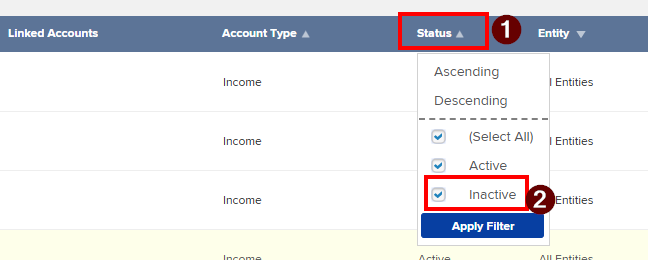
Search for the 76500/100 account.
(In my example the inactive account is 77600/360.AX)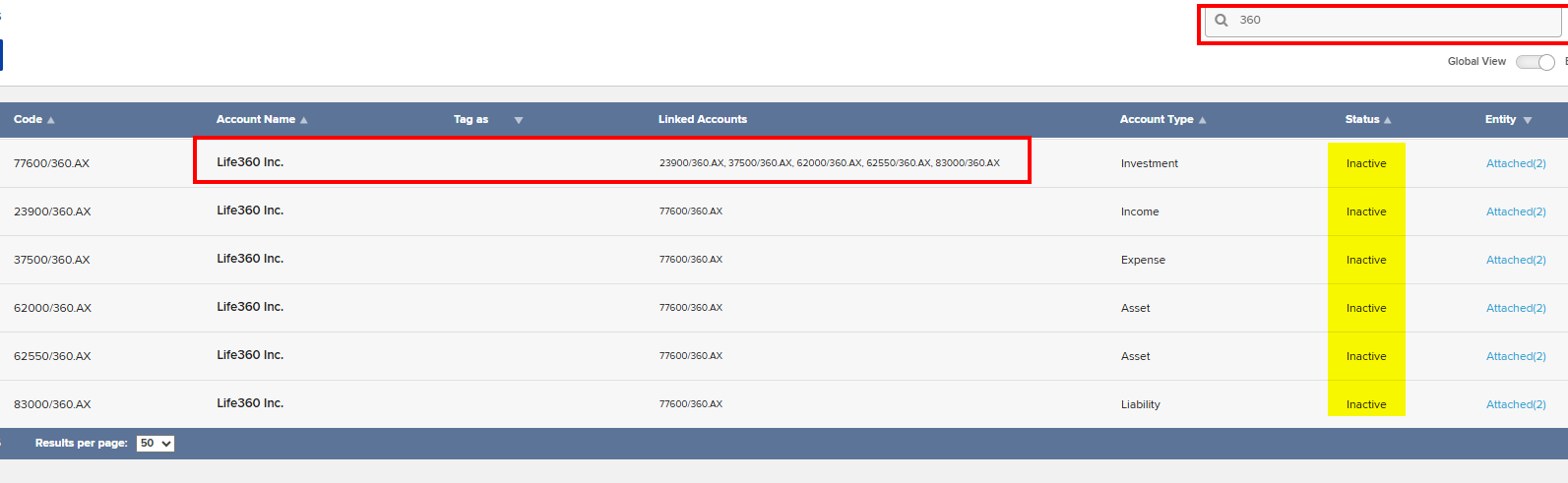
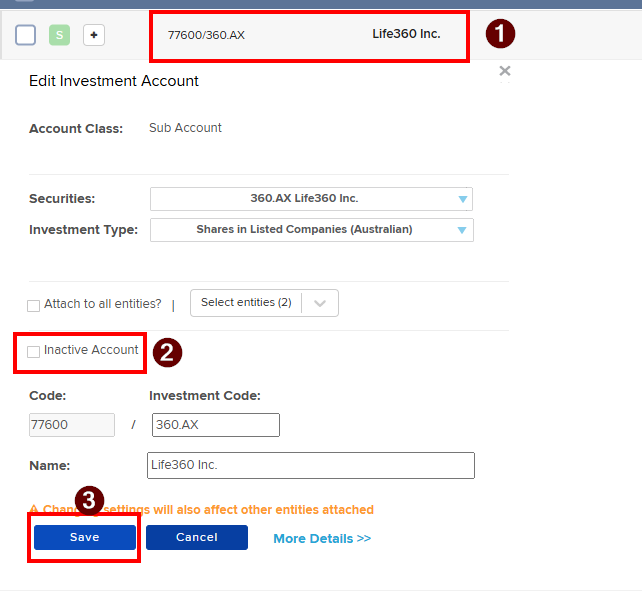
Select the 76500/100 account, turn off inactive account, then click save.
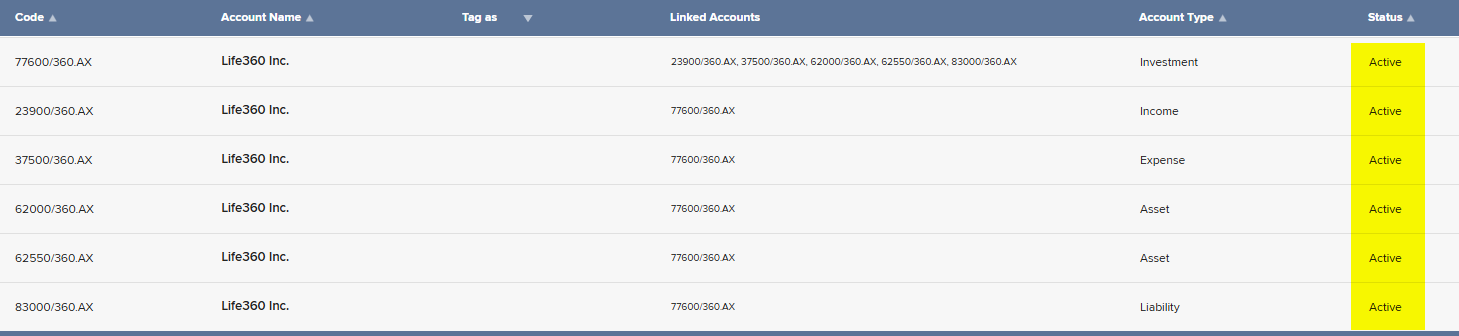
The 76500/100 and its linked accounts will now be marked as active, so you will be able to post to them again.
Unable to locate an Account (potentially inactive) in the Chart of Accounts
I hope the above answers your post and if there are any further questions, please reply to let me know so I may assist further.
-
Thanks for the detailed reply. The account is DEFINITELY DELETED and not inactive.
0 -
Hi Glenys,
In that case, I would recommend logging a support call. I have done this on your behalf, so you should receive an email from the support team soon.
If there are any further questions, please reply to let me know so I may assist further.
0
Please sign in to leave a comment.
Comments
3 comments